
It is an injection attack where malicious JavaScript gets injected into a web application with the intention of being executed by other users.
Types of XSS
- Reflected XSS
- Stored XSS
- DOM based XSS
- Blind XSS
Reflected XSS
Reflected XSS happens when user-supplied data in an HTTP request is included in the webpage source without any validation.
For e.g.:

Input the payload in search bar: <script>alert(‘XSS’);</script>
After clicking on Go button the below output is reflected

To test you need to look for every possible point of entry including:
- Parameters in URL
- URL file path
- Sometimes HTTP headers
Stored XSS
As the name tells, the payload gets stored on web applications as data and gets executed whenever the data is called.
To test you’ll need to look at every possible point of entry where it seems data is stored and then shown back in areas that other users have access to. For e.g.;
- Comments on a blog
- User profile information
- Website Listings
DOM XSS
For e.g.:
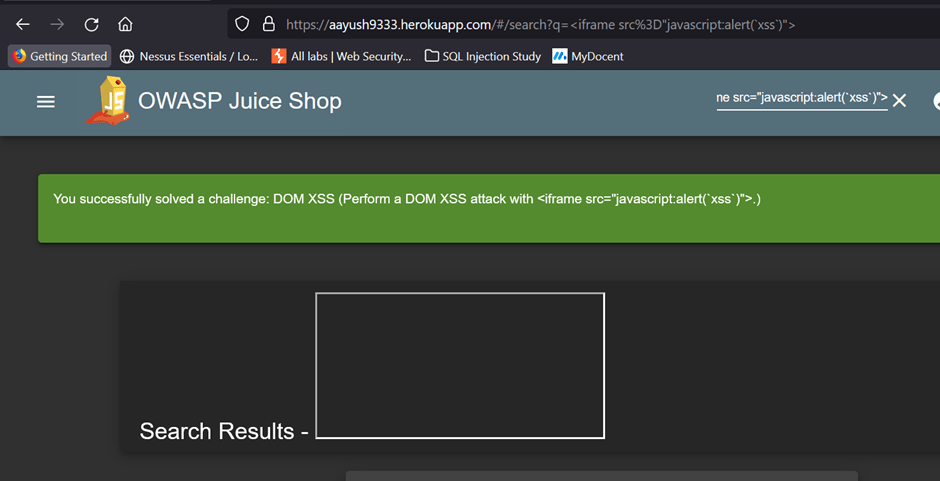
In the search bar of below webpage, we used the payload: <iframe src=”javascript:alert(`xss`)”>

After pressing enter the alert is raised and behind that alert, there is a frame box that is part of the website’s DOM.

Blind XSS
Blind XSS is similar to a stored XSS in which a payload gets stored on the website for another user to view, but in this instance, you can’t see the payload working or be able to test it against yourself first.
Practical Demonstration
Using Stored XSS
Data is stored in the below form

The below code shows the data being stored

Let us modify the input to </textarea>TEST1 and submit
It will get stored in the below format

Executing through below code

Now let’s input malicious code:
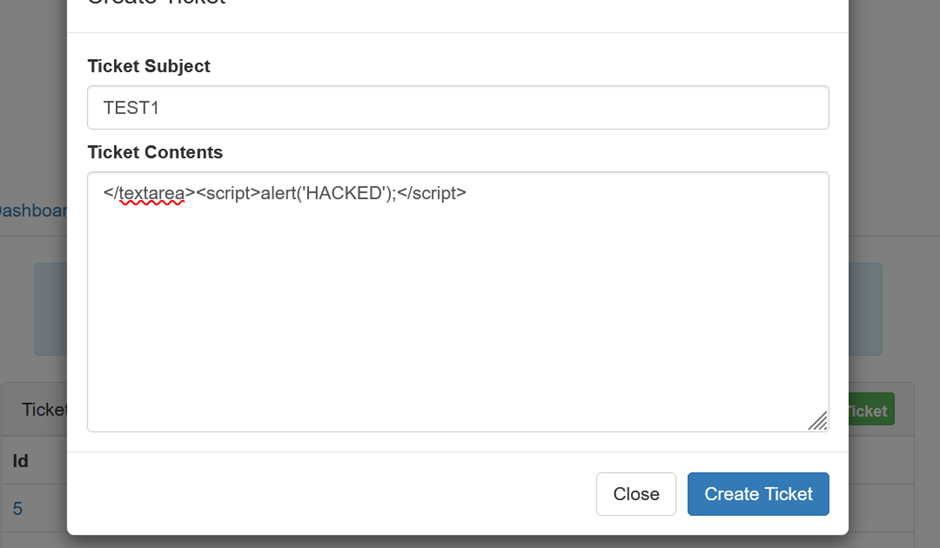
It will get stored on a database and on reloading the page we will get this alert box:
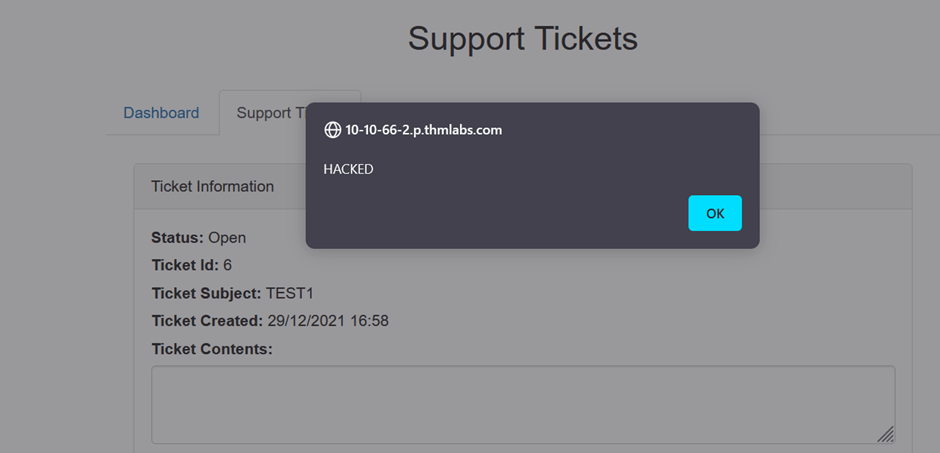
Thus application is vulnerable.
Discover more from Information Security Blogs
Subscribe to get the latest posts sent to your email.
