
Virtual Local Area Network (VLAN)
A VLAN, or Virtual Local Area Network, is a logical segmentation of a physical network allowing multiple groups of devices to be separated into distinct broadcast domains even if they share the same physical infrastructure.
In simple words, imagine you have a big school with lots of classrooms and many kids.
Now, sometimes teachers want kids from different classes not to mix up — for example, one class might be learning math and another is learning art.
But all the classrooms are still in the same school building — they just need to stay separate so things don’t get messy.
How VLANs Work
- VLANs are implemented in network switches through VLAN tagging so that only devices with the same VLAN tag can interact directly.
- Network administrators can partition a single switched network into multiple, isolated virtual networks based on roles, functions, or other requirements.
- Access and traffic controls are managed using configured VLAN IDs—devices in different VLANs cannot communicate unless routes are explicitly created.

Demilitarized Zone
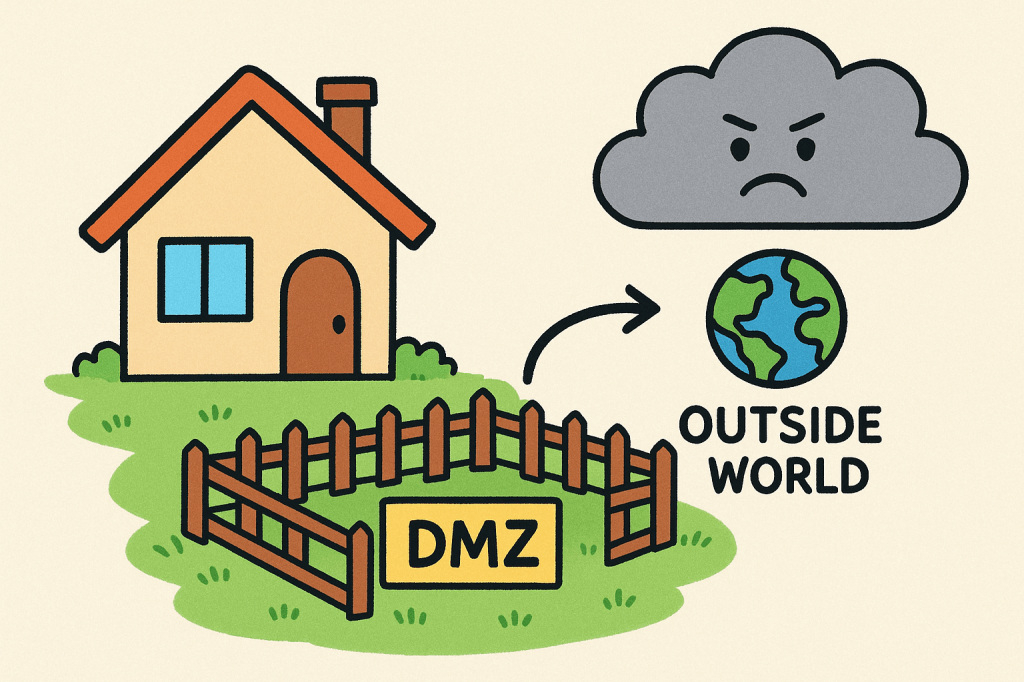
A DMZ (Demilitarized Zone) in computer networks is a small, separate area that sits between your private network and the public internet.
It’s used to add extra security — letting outsiders access certain public services (like a website, email, or game server) without giving them access to your private internal network.
Imagine you have a house (that’s your computer network). Inside your house, you have your family — these are your private computers and data that you want to keep safe.
Outside, there’s the big scary world (the internet) where strangers live.
Now, you don’t want strangers walking straight into your house, right? But sometimes, you do want to talk to them safely, like when you order pizza.
So, you make a fenced yard in front of your house — a safe middle area where guests can come, but they can’t go inside your home.
That fenced yard is called a DMZ (Demilitarized Zone) in computer terms.
Address Resolution Protocol (ARP)
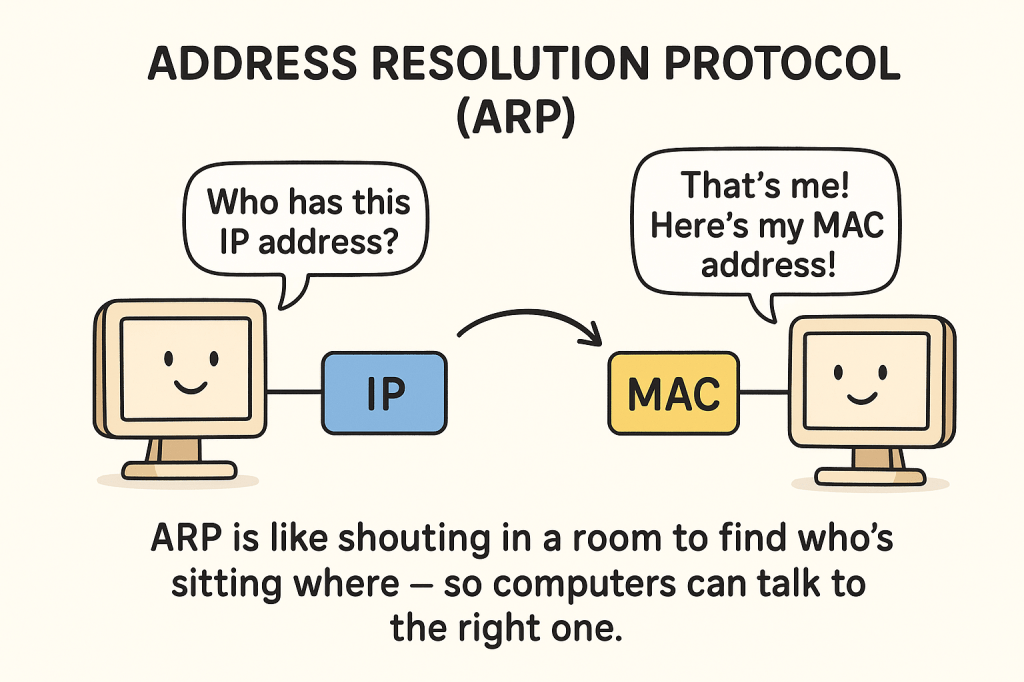
Address Resolution Protocol (ARP) is a crucial mechanism used in networking that allows the Internet Protocol (IP) to map an IP address to a corresponding physical address, commonly known as a Media Access Control (MAC) address. This protocol is essential for enabling devices within a Local Area Network (LAN) to communicate by translating IP addresses into specific hardware addresses.
Imagine you’re at a big birthday party 🎉 with lots of kids. Everyone has a name (like Aayush, Riya, Sam) — but no one knows where anyone is sitting.
Now, you want to give a balloon to Riya. You know her name, but not where she’s sitting. So you shout:
“Hey! Who is Riya? Where are you?”
Then Riya raises her hand and says,
“I’m Riya! I’m sitting here!”
Now you know where to go and give her the balloon.
Dynamic Host Configuration Protocol (DHCP)
The Dynamic Host Configuration Protocol (DHCP) is a network management protocol used to automatically assign IP addresses and other network configuration details, such as subnet masks, default gateways, and DNS servers, to devices on a network. When a device, such as a computer or smartphone, connects to a network, it sends a request to the DHCP server, which then dynamically assigns an available IP address from a defined range and provides the necessary configuration information. This process simplifies network management by eliminating the need for manual IP address assignment and reduces the risk of IP conflicts, ensuring that devices can seamlessly join the network and communicate with other devices and services.
Imagine you walk into a big party with lots of chairs. But you don’t know which chair is yours. So, there’s a friendly helper at the door (that’s the DHCP server) who says:
“Hey! Welcome! Here’s your chair — number 12. Sit there and enjoy!”
In computers, when your phone, laptop, or tablet joins a Wi-Fi network, it also needs a “chair” — that’s an IP address (a special number that helps it talk to other devices).
So the Dynamic Host Configuration Protocol (DHCP) is like that friendly helper who:
- Gives each device its own IP address automatically.
- Keeps track of who got which address.
- Takes back the address when the device leaves, so someone else can use it later.
In short:
DHCP is a system that helps devices join the network easily by giving them their “seat number” — their IP address — without you having to do anything!
Domain Name System (DNS)
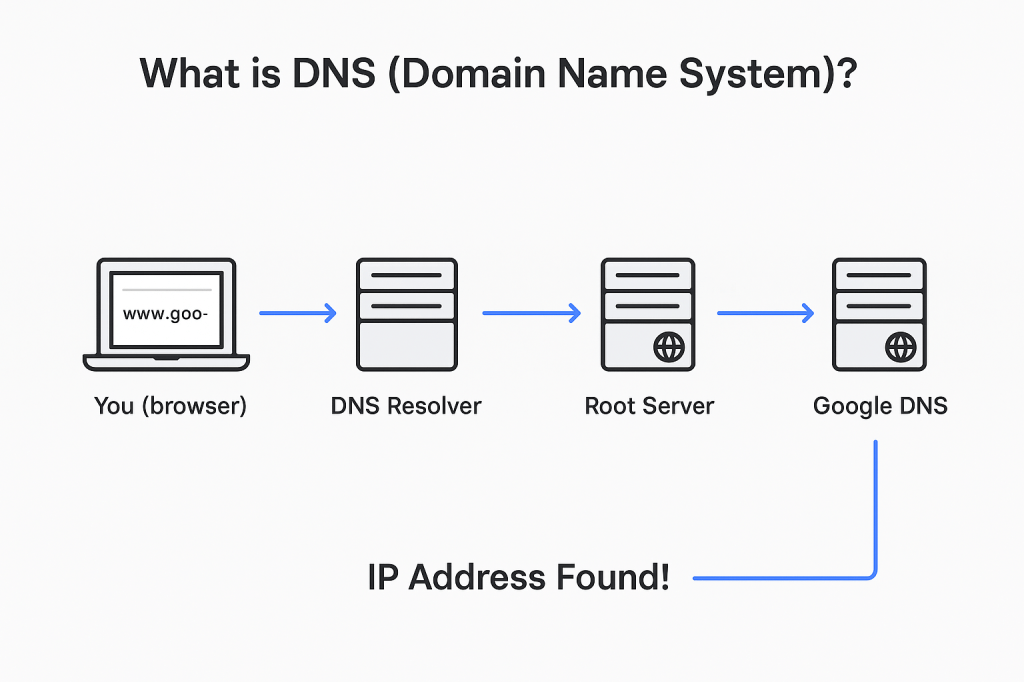
The Domain Name System (DNS) is a fundamental protocol of the internet that translates human-readable domain names, like www.example.com, into IP addresses, such as 192.0.2.1, which are used by computers to locate and communicate with each other. Essentially, DNS acts as the internet’s phonebook, enabling users to access websites and services without needing to memorize numerical IP addresses. When a user types a domain name into a browser, a DNS query is sent to a DNS server, which then resolves the domain into its corresponding IP address, allowing the browser to connect to the appropriate server. DNS is crucial for the functionality of the internet, as it underpins virtually all online activities by ensuring that requests are routed to the correct destinations.
Network Address Translation (NAT)
Network Address Translation (NAT) is a method used to modify IP address information in packet headers while they are in transit across a network. NAT allows multiple devices on a private network to share a single public IP address for accessing external resources, helping conserve the limited number of available public IP addresses. It also enhances security by hiding internal IP addresses from the public internet.

Discover more from Information Security Blogs
Subscribe to get the latest posts sent to your email.
