Monthly Round Up for the month of April 2024

Boat Data Breach Exposes Personal Information of Over 7.5 Million Users

Amit Gupta-led startup Boat has reportedly witnessed a major data breach incident. The private details of over 7.5 million customers have made their way onto the dark web. This includes sensitive information like names, addresses, phone numbers, email addresses, and customer IDs. As per a report by Forbes, an individual under the name ‘ShopifyGUY’ claimed to have breached the data of boAt Lifestyle, a company known for its audio products and smartwatches. The hacker shared files containing the personal information of customers, totalling 7.5 million entries.

RBI’s action on Kotak Mahindra Bank

The Reserve Bank of India (RBI) directed Kotak Mahindra Bank Limited (KMBL) to cease with immediate effect from onboarding new customers through online and mobile banking channels and issuing fresh credit cards. The reason given by the RBI for such an action is because serious deficiencies and non-compliances in certain specified areas were observed.

As per the RBI’s press release, serious deficiencies and non-compliances were observed in the areas of IT inventory management, user access management, vendor risk management, data security, data leak prevention strategy, business continuity and disaster recovery rigour and drill, etc.

ICICI Bank blocks 17,000 credit cards after data breach

ICICI Bank has blocked 17,000 credit cards after a technical glitch in its mobile banking application ‘iMobile’ led users to complain about being able to view other customers’ card details, including co-branded cards.

In response, ICICI Bank said that about 17,000 new credit cards which were issued in the past few days were “erroneously mapped in our digital channels to wrong users”. These cards constitute about 0.1 per cent of the bank’s credit card portfolio.

Lab 2:  Network Security Groups and Application Security Groups

Objective

You have been asked to implement your organization’s virtual networking infrastructure and test to ensure it is working correctly. In particular:

  • The organization has two groups of servers: Web Servers and Management Servers.
  • Each group of servers should be in its own Application Security Group.
  • You should be able to RDP into the Management Servers, but not the Web Servers.
  • The Web Servers should display the IIS web page when accessed from the internet.
  • Network security group rules should be used to control network access.

Exercise 1: Create the virtual networking infrastructure

Step 1: Type Virtual networks and press the Enter key and click + Create.

Step 2: Fill in the details

On the IP addresses tab of the Create virtual network blade, set the IPv4 address space to 10.0.0.0/16.

Exercise 2: Create application security groups

Step 3: Type Application Security Groups and press the Enter key and click + Create and fill the following form to create an ASG.

Do the same process to create a management server.

Exercise 3: Create a network security group and associate the NSG to the subnet

Step 4: Type Network Security Groups and press the Enter key and click + Create and fill the following form to create a NSG.

Step 5: Associate the NSG with the Virtual network created in Step 1. On the myNsg blade, in the Settings section, click Subnets and then click + Associate.

Select the network and click OK.

Exercise 4: Create inbound NSG security rules to all traffic to web servers and RDP to the servers.

Follow the same steps to create RDPconnection for management servers.

Create a VM and connect it to the virtual network

Do the same for other servers.

Connect VM to the ASG.

Do the same for other servers.

Setup the web service

Copy the public IP address and run on the browser.

PDCA and Clauses

Plan(P) Do(D) Check(C) Act(A)

ISO/IEC 27001:2022: Clause 4 of 10

Clause 4: Context of Organization

  • Understand the external and internal issues that affect the information security
  • Identify interested parties and their requirements
  • Establish the scope of ISMS
  • Establish, implement, maintain and continually improve ISMS

ISO/IEC 27001:2022: Clause 5 of 10

Clause 5: Leadership

  • Top Management to demonstrate leadership and commitment by ensuring ISMS policy, objectives, processes are established, necessary resources are provided and continual improvement is carried out
  • Top Management to assign responsibility and authority for implementing and achieving conformance to ISMS

ISO/IEC 27001:2022: Clause 6 of 10

Clause 6: Planning

  • Establish criteria and plan for risk assessment and necessary treatment
  • Develop statement of applicability with identified controls as expected in Annex A of the standard
  • Identify risks and opportunities and address them accordingly
  • Establish ISMS objectives, responsibilities and timeline to achieve
  • Carry out changes to ISMS in a planned manner

ISO/IEC 27001:2022: Clause 7 of 10

Clause 7: Support

  • Provide resources for implementing ISMS
  • Identify and acquire necessary competency required for ISMS
  • Ensure awareness of ISMS, importance of conformance to it and consequences of non
    conformance
  • Establish communication system to handle internal and external communication

ISO/IEC 27001:2022: Clause 8 of 10

Clause 8: Operation

  • Conduct risk assessments and treatments as planned
  • Take actions to address risks and opportunities as planned
  • Keep record of documented information Establish criteria and plan for risk assessment
    and necessary treatment

ISO/IEC 27001:2022: Clause 9 of 10

Clause 9: Performance evaluation

  • Establish measurement and management reporting framework to assess the performance of ISMS
  • Plan and conduct internal audits to ensure compliance to ISMS and the applicable standards
  • Top management to review periodically to check continuing suitability, adequacy and effectiveness of ISMS
  • Organization to evaluate the information security performance and the effectiveness of the ISMS.

ISO/IEC 27001:2022: Clause 10 of 10

Clause 10: Improvement

  • Plan actions to continually improve suitability, adequacy and effectiveness of
    ISMS
  • Identify and respond to nonconformities as required
  • Identify and eliminate causes of nonconformities

Threat, Risk and Vulnerability

Threat: A potential cause of an unwanted Incident, which may result in harm to a System or Organization
Vulnerability: A vulnerability is a weakness of an asset or control that could potentially be exploited by one or more threats.
Risk: A combination of the probability of an Event and its Consequence

  • Risk is the ‘effect of uncertainty on objectives’
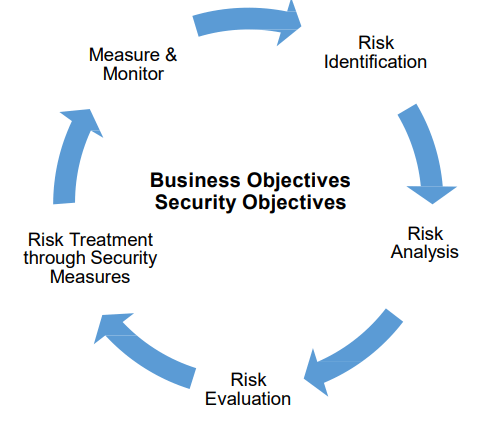
  • Risk management involves identifying risks; analyzing, evaluating and treating them; and monitoring & measuring them in order to control and minimize their impact
  • ‘Risk Owners’ own the risks in their functional areas, and need to apply risk management principles to address and mitigate those risks

Risk Assessment is the total sum of

  • Asset Assessment & Valuation
  • ThreatAssessment & Valuation
  • Vulnerability Assessment

Risk Analysis: A systematic use of information to identify sources and to estimate the Risk
Types of Risk Analysis: Quantitative & Qualitative

Possible options for Risk treatment include:

  • Applying appropriate controls to reduce the Risks;
  • Knowingly and objectively accepting Risks, providing they clearly satisfy the
  • Organization’s Policy and criteria for Risk Acceptance;
  • Avoiding Risks by not allowing actions that would cause the Risks to occur;
  • Transferring the associated Risks to other parties, e.g. Insurers or Suppliers

What is ISMS,CIA Triad

Information Security Management System (ISMS)

Information Security Management System (ISMS) is a management system made of multiple interacting components.

What is information?

As per ISO/IEC 27000:
“Information (knowledge or data) is an asset which, like other important business assets is of value to an organization and consequently needs to be suitably protected”.

Information can be:

  • Created, Stored
  • Modified, Destroyed
  • Processed, Transmitted
  • Used, Lost, Corrupted

Information Security: Preservation of Confidentiality, Integrity and Availability (CIA) of information.
In addition, other properties, such as authenticity, accountability, non-repudiation, and reliability can also be involved.
CIA Triad
Confidentiality is the degree to which access to information is restricted to a defined group authorized to have this access.
Integrity is the degree to which the information is up to date and without errors (Correctness & Completeness)
Availability is the degree to which information is Available for the user and for the information system that is in operation the moment the organization requires it.

Information Security – Is it Management or Technology?

80% Management i.e. IS-Policy, Processes etc.

and

20% Technology i.e. Tools, Firewall, Servers, Components etc.

The goal of an ISMS is to achieve Information security objectives (and manage information security risks) of the Organization in a structured and effective way.

By designing, implementing, managing, and maintaining an ISMS, organizations can protect their confidential, personal, and sensitive data from being compromised.

The components that constitute ISMS includes:

  • Policies
  • Processes
  • Procedures
  • Roles & Responsibilities

Why the need for ISMS?

  • Senior Management – Wants to know the status of Information Security in their Organization in hand.
  • Security Incidents – Nature of threats are changing and Security Incidents are growing day-by-day. Hence it is important to protect the business from threats.
  • Marketing – Gives competitive edge in marketing of products/service with security
  • Clients / Stakeholders – Requirements for contracts/condition for RFP

Lab 1: Role Based Access Control

Objective

You have been asked to create a proof of concept showing how Azure users and groups are created. Also, how role-based access control is used to assign roles to groups. Specifically, you need to:

  • Create a Senior Admins group containing the user account of Joseph Price as its member.

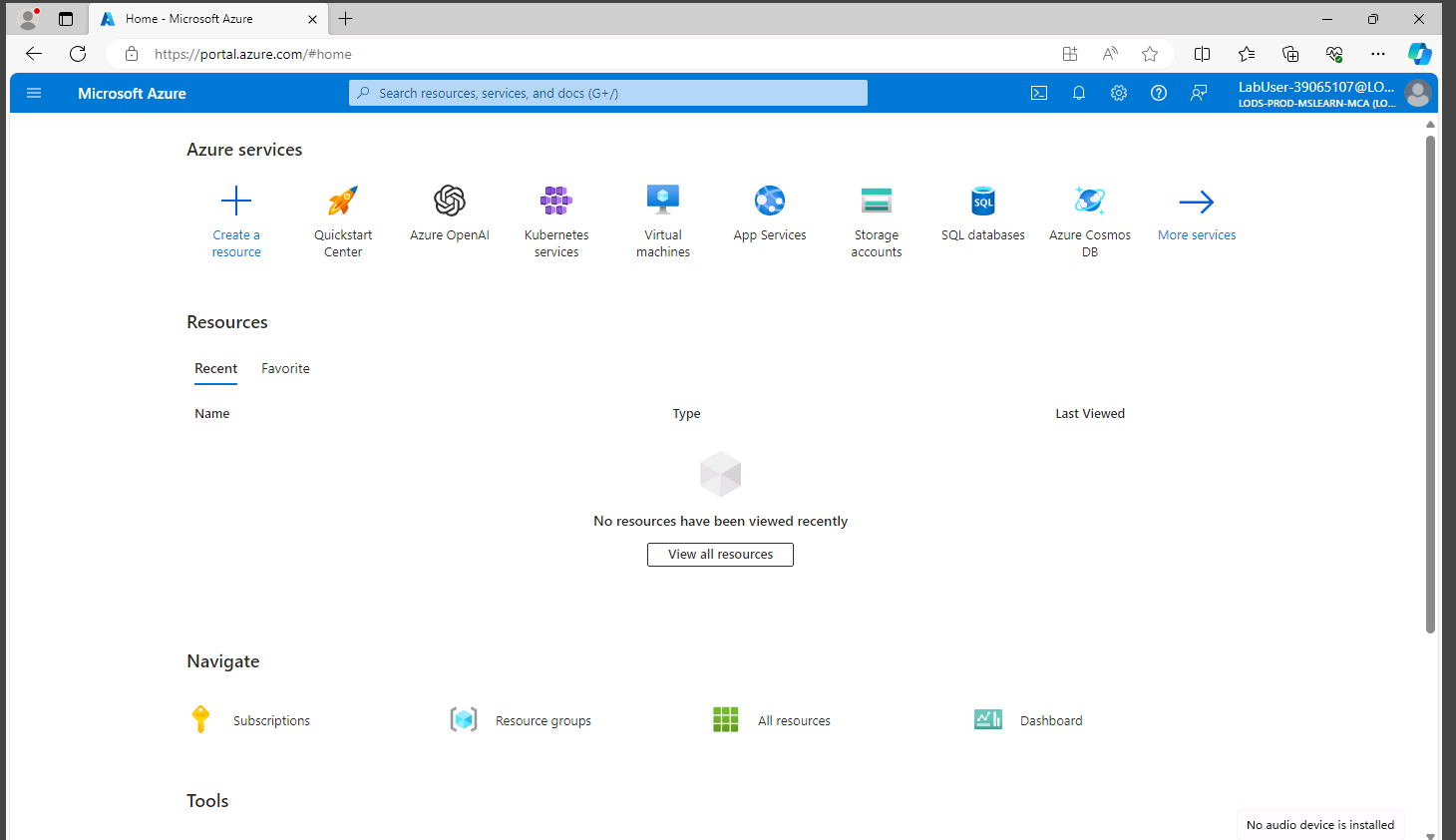
Step 1: Login to the portal

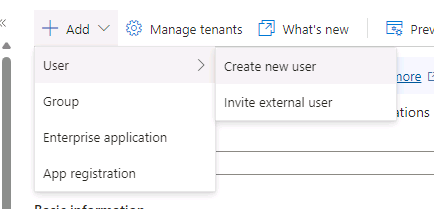
Step 2: Go to Microsoft Entra ID and click on add user

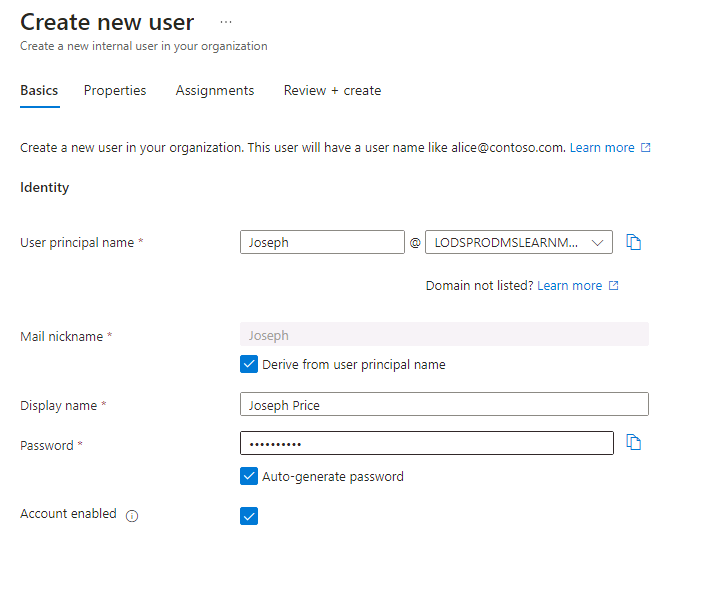
Step 3: Fill the form

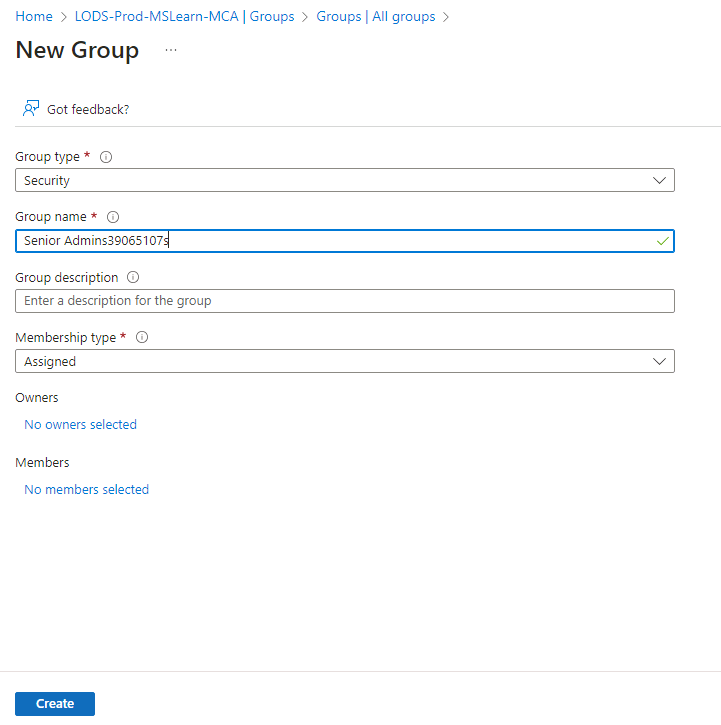
Step 4: Create group

Step 5: Fill form and click on create

Step 6: Add owners and similarly add members

  • Assign the Virtual Machine Contributor role to the Senior Admins group.

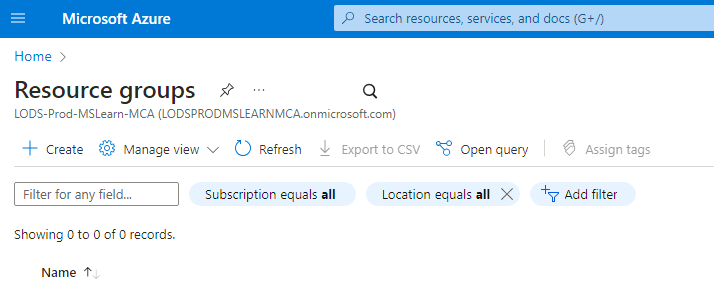
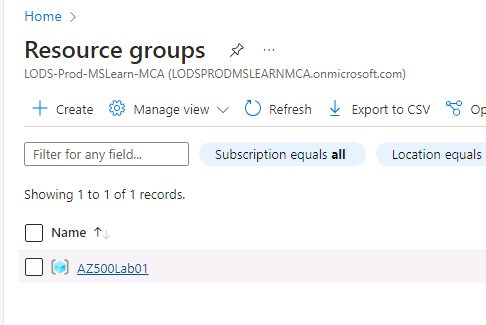
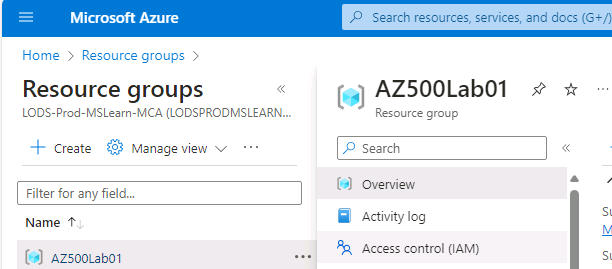
Step 1: Go to Resource Group

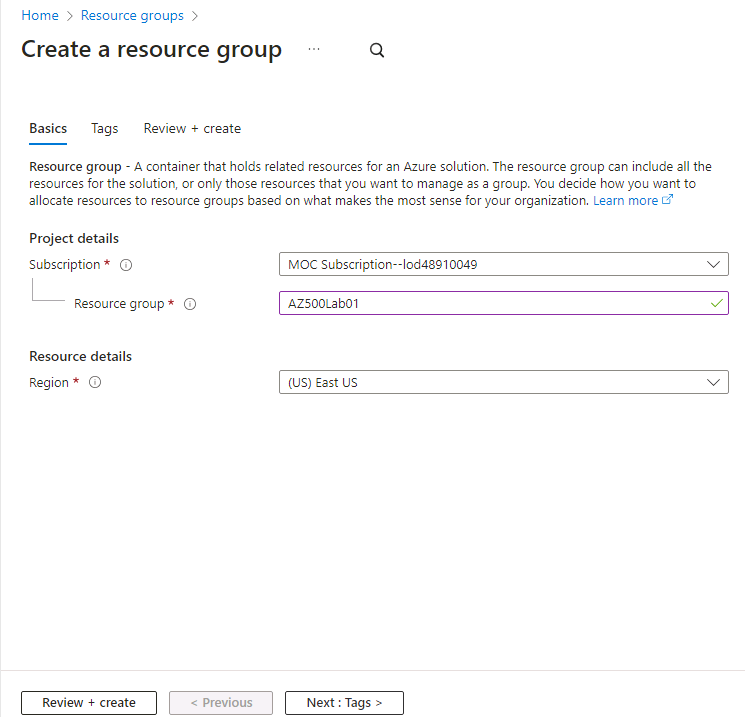
Step 2: Fill the form and click on review + create

Step 3: Assignment of role to a resource group

Select the resource group

Select IAM and click on add then add role assignment

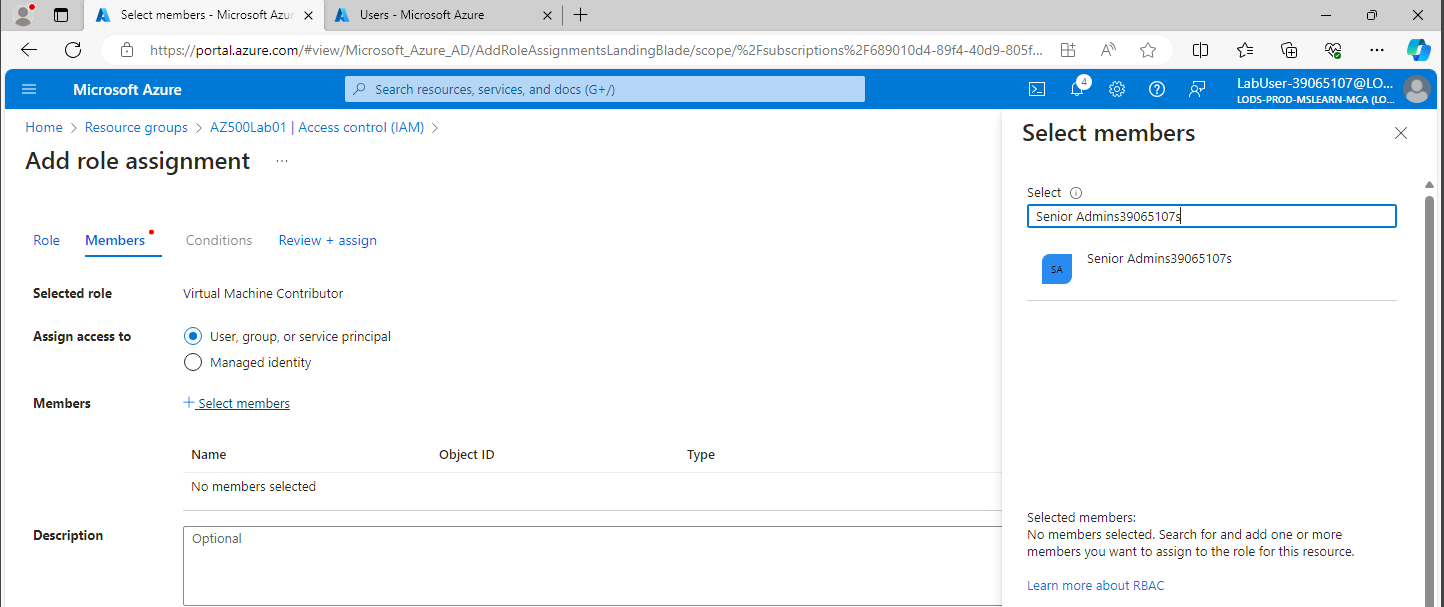
Select the role and click on Next

Click on add members and select the group/member to get the role of Virtual Machine Contributor and click on review + assign.

Conclusion: Members of the senior admin group have Virtual Machine Contributor roles.

Near Field Communication (NFC)

Near Field Communication, or NFC, is a short-range wireless communication technology that enables devices to interact with each other within a close proximity, typically within a few centimeters. It operates at a frequency of 13.56 MHz and can be used for various applications, such as contactless payment systems, secure access control, and data sharing between devices like smartphones, tablets, and other compatible gadgets.

How NFC works

When two NFC-enabled devices are brought close to each other, a connection is established, and they can exchange data with each other. This communication is enabled through NFC Tags and NFC Readers. NFC Tags are small integrated circuits that store and transmit data, while NFC Readers are devices capable of reading the data stored in NFC Tags.

NFC Modes

NFC operates primarily in three modes:

  • Reader/Writer Mode: This mode enables the NFC device to read or write data from or to NFC Tags. For example, you can scan an NFC Tag on a poster to access more information about a product or service.
  • Peer-to-Peer Mode: This mode allows two NFC-enabled devices to exchange information directly. Examples include sharing data such as contact information, photos, or connecting devices for multiplayer gaming.
  • Card Emulation Mode: This mode allows an NFC device to act like a smart card or access card, enabling contactless payment and secure access control applications.

Security Concerns

While NFC brings convenience through its numerous applications, it also poses security risks, and it’s essential to be aware of these. Some possible concerns include:

  • Eavesdropping: Attackers can potentially intercept data exchange between NFC devices if they manage to get into the communication range.
  • Data manipulation: Attackers might alter or manipulate the data exchanged between the devices.
  • Unauthorized access: An attacker can potentially exploit a vulnerability in your device, and gain unauthorized access to sensitive information.

Security Best Practices

To minimize the risks associated with NFC, follow these best practices:

  • Keep your device’s firmware and applications updated to minimize known vulnerabilities.
  • Use strong and unique passwords for secure NFC applications and services.
  • Turn off NFC when not in use to prevent unauthorized access.
  • Be cautious when scanning unknown NFC Tags and interacting with unfamiliar devices.
  • Ensure you’re using trusted and secure apps to handle your NFC transactions.

In conclusion, understanding the basics of NFC and adhering to security best practices will help ensure that you can safely and effectively use this innovative technology.

Wazuh

Setting up Wazuh on Virtual Machine (OVA)

  1. First download the OVA file.
  2. Open and import the ova file in Virtual Box and set up a name and location where you need your data to be stored.
  1. Boot in the virtual machine using following credentials:

User: wazuh-user Password: wazuh

  1. Set VM setting as follows
  1. After logging in you will get the following screen
  1. Check for the ip address of the server using command “ip a”
  1. Hit the browser with the following URL to check if wazuh is up.

In our case it will be https://192.168.29.160

You will get the following web page

  1. Use the default credentials to login

User: admin Password: admin

  1. You will get the following console:

Setting up an agent on the endpoint.

Once you login into the wazuh dashboard you can add agents:

On clicking Agents option you will get the following page:

Click on “Deploy new agent” option:

You will get the below screen.

Select the required options. For our case the configuration will look like this:

At last wazuh will generate a command which needs to be run with admin privileges to install and start the agent:

Open powershell with admin permissions and insert the command as shown in wazuh:

Start the agent:

Go back to agents page there you can see that your agent is live and running:

Till now,we have seen how to set up wazuh and install agent.

Later we will cover every feature of the wazuh.

Weekly roundup for August 27 to September 2

Notepad++ Flaw

Several Buffer Overflow vulnerabilities have been discovered in Notepad++ that can be exploited by threat actors for malicious purposes. The severities of these vulnerabilities vary from 5.5 (Medium) to 7.8 (High).

Splunk IT Service Intelligence Injection Flaw

Splunk has been reported with a Unauthenticated Log injection vulnerability in the Splunk IT Service Intelligence (ITSI) product. This vulnerability exists in Splunk ITSI versions before 4.13.3 or 4.15.3. 

Microsoft Edge Privilege Escalation

Microsoft Edge has published a release note that mentioned a Privilege escalation vulnerability with the CVE ID of CVE-2023-36741 and has a CVSS Score of 8.3 (High). This vulnerability exists in the Microsoft-Edge Chromium-based versions before 116.0.1938.62.

Google Chrome Security Update

Google has updated the Stable and Extended Stable channels for Mac, Linux, and Windows to version 116.0.5845.140/.141 to address a security issue in Chrome.

Hackers Embedding Weaponized Word File into a PDF

To avoid detection, hackers employed a new method dubbed “MalDoc in PDF” to insert a malicious Word file into a PDF file.

2.6 Million DuoLingo Users’ Info Exposed 

The popular language learning platform has come under scrutiny as a post on a hacker’s forum offers access to information from 2.6 million customer accounts for a mere $1,500. 

Hackers Can Exploit Skype Vulnerability to Find User IP Address

Hackers can now capture your IP address and expose your physical location by sending a Skype link, even if you don’t click it.

Weekly roundup for August 20 to 26

SEIKO Data Breach

The watch manufacturing company Seiko, targeted by the threat group BlackCat/ALPHV who operates as ransomware as a service. On August 10, the company notified its customers about a data breach after they detected unauthorized access to its server.

Cloud Host Lost All Data 

There has been a cyber attack on two cloud hosting providers, CloudNordic and Azero Cloud. The cyberattack has resulted in complete data loss for all their customers due to ransomware.

Raccoon Malware Resurfaces

It has recently come to light that the individuals responsible for developing and distributing the infamous Raccoon Stealer malware have returned to online hacker forums.

This news follows a period of six months where the perpetrators had ceased all activity and remained silent.

The Raccoon Stealer malware works by stealing sensitive information from unsuspecting victims, making this development a cause for concern among cybersecurity professionals and the general public alike.

Weaponizing QR Codes to Steal Microsoft Credentials

A recent discovery highlights a significant QR code phishing campaign that targets Microsoft credentials across various industries. 

Phishing Attack Target Zimbra Email Users

A group of researchers recently published a significant mass-spreading phishing campaign targeting Zimbra account users.

Information Security Blogs

Blogs on infosec and cyber security, writeups, latest trends, security best practices, etc.

Skip to content ↓